Setting Up The Domain

You need to create the domain and add the company accounts to it. The use of domains enables the setup of the specific permissions for the group of company accounts. To create and set up the domains, follow the steps described below.

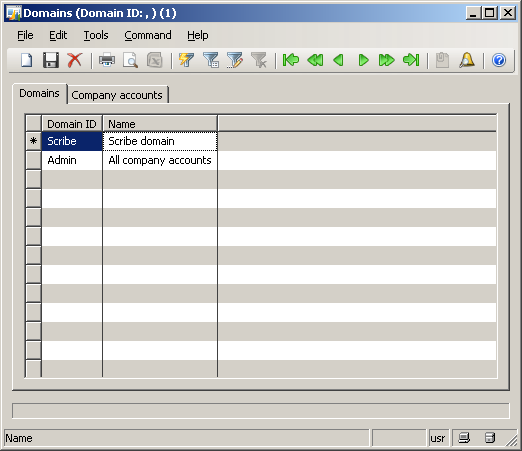
  1. In Microsoft Dynamics AX, click Administration > Setup > Domains.
  2. Press CTRL+N to create a new record.
  3. In the Domain ID field, type the name of the newly created domain. For example, TIBCO.
  4. In the Name field, type a short description of the domain. For example, TIBCO domain.

    Domain ID field

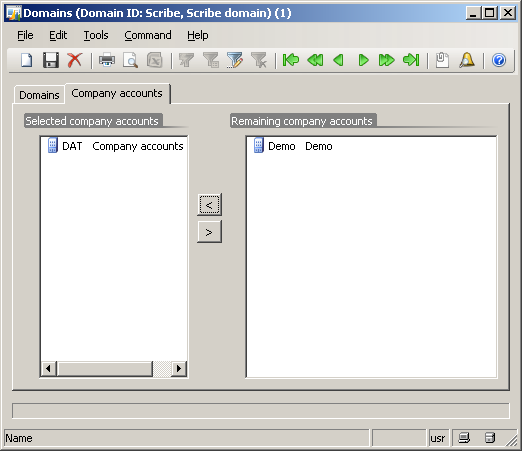
  5. Click the Company accounts tab.
  6. From the Remaining company accounts pane, select the company to be added to the domain.
  7. Click the Add button ().

  8. Domain Company Accounts Window

  9. Click the Save icon (Save icon) to save the record and complete the domain creation.

Next step